
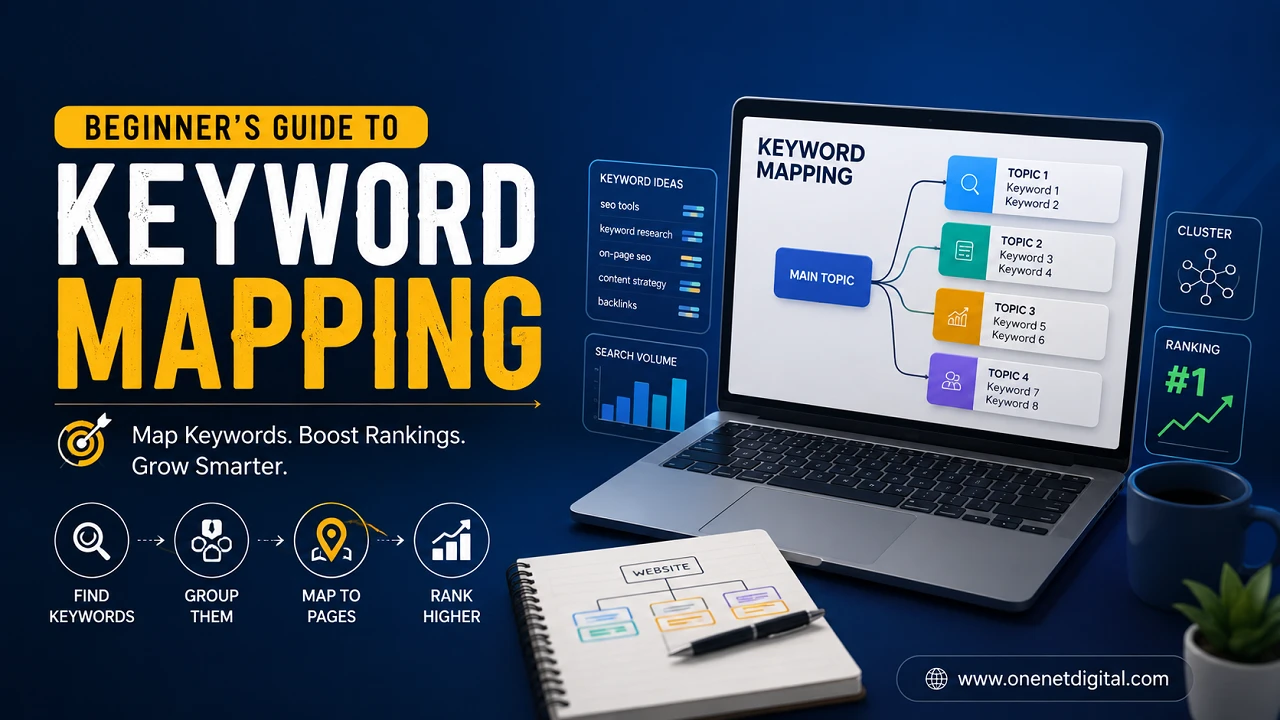
Keyword mapping is one of the most important steps to building a solid SEO strategy. A lot of websites are creating quality content but they can’t rank because they’re competing with pages for the same search terms or they haven’t covered important topics. Keyword mapping organises keywords so every page on the site has a clear purpose and serves a specific search intent.
Keyword mapping might sound technical to beginners but it’s really just about matching the right keywords to the right pages. When implemented properly, it helps improve website structure, makes content easier to manage and helps search engines figure out what each page is about. It also enhances the experience for visitors by directing them to the most relevant information.
What Is Keyword Mapping?
Keyword mapping is the process of assigning keywords to each page of a website. Each page has its own primary topic with supporting keywords not the same keyword on multiple pages.
This systematic process also helps search engines to identify the purpose of each page. It also reduces competition between pages on the same site and helps the most relevant page to show in the search results.
Think of a good keyword map as the blueprint of your website. It means that each page is helping to push your overall SEO strategy, rather than competing with other pages on your own site.
Why Keyword Mapping is Important?
Sites are creating multiple pages targeting similar search terms without keyword mapping. This can confuse search engines, as they may not know which page to rank for a particular query.
This is avoided by keyword mapping which gives each page a unique focus. Content planning also becomes easier because you can easily see which topics you already have content for and which topics you need new content.
Another advantage is that it allows for better internal linking. It’s more natural and more helpful to the users to link related pages together because each page has a defined topic.
Also Read: Why Search Engines Need Context, Not Just Keywords
Understanding Search Intent Before Mapping
Before you begin assigning keywords to pages, it’s important to understand what users are looking for when they search. Search intent is the reason behind a search query.
Some people want to learn more about a topic others want to compare products, find a service or buy something. The page should satisfy the search intent of the keyword it targets.
For example, if the keyword has informational intent, the page should rank for a detailed guide or blog post. If the keyword is transactional in nature it should point to a product or service page. If you match intent, you increase your chances of ranking because the content is meeting user expectations.
Selecting the Best Keywords
The quality of your keyword mapping depends on the keywords you pick. Start with your main subject, then find related search terms that people actually use.
Identify keywords that are relevant to your business, have a clear search intent, and naturally fit into your content strategy. Long tail keywords are particularly useful because they are more specific and often have lower competition.
It also helps to add related phrases and synonyms. Modern search engines recognise the connection between similar terms, so your content can rank for multiple variations without overuse of the same exact keyword.
Adding Keywords to Existing Pages
If your website already has content, review the content on each page before creating new pages. Identify the main subject of each page and pick the most appropriate keyword.
Sometimes you can find that two pages cover almost the same topic. In those instances, refreshing content on a page and combining valuable information can create more robust content and less competition for keywords.
An important keyword that doesn’t have a good page is an opportunity for new content. The organization of this process helps to make a more balanced website.
Also Read: Search Queries vs Keywords: What’s the Real Difference?
New Content Creation with Keyword Maps
Keyword mapping is also helpful when planning future content. Instead of writing articles randomly, you can write around a good plan.
Start with your primary categories and then write supporting articles for related subtopics. This creates topical relevance and helps search engines know that you are an expert on a particular subject.
Planning your content ahead of time also helps you avoid duplicate content topics and maintain consistency throughout your website.
Preventing Mistakes in Keyword Mapping
A common mistake among beginners is to employ the same primary keyword on multiple pages. This creates internal competition and makes it harder for any one page to do well.
Another common mistake is to go after keywords that are not relevant to the content. If a page promises one thing and does something else, users might bounce fast and that can affect engagement.
Other mistakes that can reduce keyword mapping effectiveness include ignoring search intent, using unrelated keywords, or creating pages without a clear purpose. Keeping your strategy organised helps to avoid this.
Monitor and Update Your Keyword Map
The keyword mapping process is not a onetime process. Trends in searching change, new subjects become popular and pages already there may need updating as time goes on.
Regularly review the performance of your website to see which pages are attracting traffic and which need to be improved. If search behaviour changes, you may need to adjust your keyword assignments or expand existing content.
Updating your keyword map keeps your SEO strategy in line with current search trends and ensures your website continues to grow.
Also Read: What is Search Visibility and How It’s Measured
Building a Strong SEO Foundation
Keyword mapping is a clean structure which is good for both search engines and website visitors. It means each page has a clear purpose and fits into your overall content strategy.
Keyword mapping, combined with high-quality writing, useful information, logical internal linking and regular updates, is an effective instrument for improving organic visibility.
First, learning this process early makes future SEO efforts much easier. You are not making random content; you are building a website where every page has a purpose and helps you succeed in search in the long term.
Conclusion
Keyword mapping is a simple but effective SEO practice that helps organise content, improve your website structure, and increase search visibility. By assigning the right keywords to the right pages, understanding user intent and avoiding duplicate targeting, you are building a stronger foundation for long-term growth.
It’s not just about ranking for more keywords; it’s about delivering the most relevant content for every search. As your website expands, having a well-organised keyword map will help you create better content, enhance user satisfaction, and keep consistent organic traffic over the long run.
Common Questions
1. What is SEO Keyword Mapping?
Keyword mapping is the process of assigning keywords to each page on your website. Each page should be targeting a specific topic and search intent.
2. Why do you need keyword mapping?
This helps to prevent multiple pages from competing for the same keyword, improves the organization of your website, and helps search engines understand your content more clearly.
3. How to start keyword mapping for beginners?
List out important keywords, check out existing pages and match keywords with relevant content. Make new pages for topics not yet covered.
4. Can I target multiple keywords per page?
Yes. Having one main keyword and a few related or supporting keywords on a page is okay, as long as they are naturally related to the same topic.
5. When to update a keyword map?
It’s a good idea to review and update your keyword map from time to time, especially when new content is published or when search trends change.
