
Introduction
A good web page has a clear structure at all times. Readers don’t like to see big blocks of text because it’s hard to understand the information. Organize content into logical sections so it is easier to read and answers can be found more quickly. Search engines like content to be organized too as it helps them understand what each section is for.
One of the easiest ways to build this structure is with heading tags. They guide the reader’s eye from the top of the page to the bottom, making the content more readable. Whether you’re writing a blog, landing page or service page, the proper use of headings improves readability and creates a better experience for all.
Heading Tags Explained
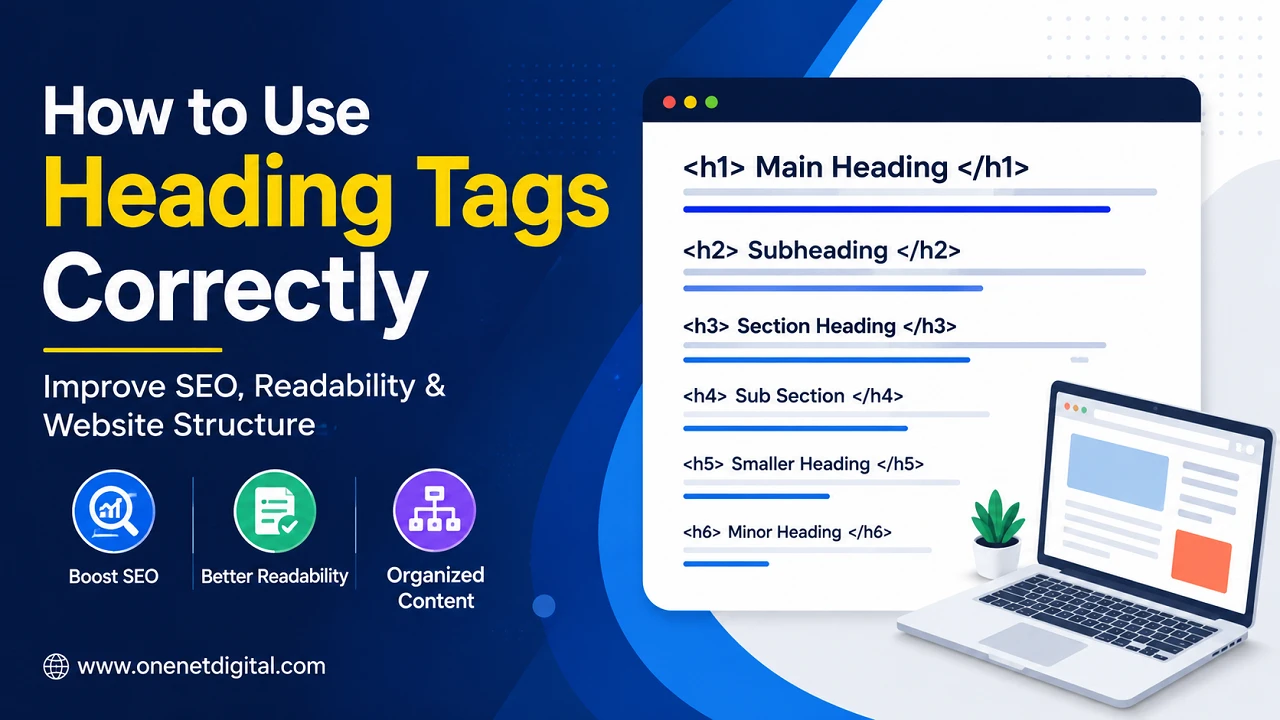
Heading tags are HTML tags that define the headings for your content at various levels. They are H1 through H6. Levels indicate the importance of a section and how the information is related.
The H1 tag usually is the main title of the page. The article is divided into sections with H2 tags for the larger topics and H3 tags for smaller points within those sections. H4, H5, H6 headings are used only when additional organization is needed.
This order allows readers and search engines to understand the flow of information clearly.
Why You Need the Correct Header Structure
A good heading structure helps to follow an article. Visitors will scan your headings before reading the entire content. Readers can rapidly determine where they want to focus their attention if the headings clearly describe each section.
Headings are also used by search engines to understand how different topics relate to each other on a page. Headings alone won’t get you higher rankings, but they do help you organize your content better, which is an important part of SEO.
Having a page with logical headings makes you look more professional and makes visitors stay longer.
Also Read: How to Optimize URL Structure for SEO | One Net Digital
How to Use the Main Heading Correctly
The H1 tag should clearly indicate the subject of the page. Usually, there is only one H1 that covers the overall subject of the content.
A good H1 is simple, relevant and easy to follow. It should be relevant to the purpose of the page and not try to cram too many keywords in.
Keeping the main heading on topic assists readers and search engines in understanding what the page is about from the very beginning.
Use H2 and H3 to Structure Sections
Use H2 Tags to Break the Article into Important Sections after the Main Heading. Each H2 must be dedicated to a single main idea that supports the general topic.
H3 tags can be used to further divide a section if it has several related points. This gives the content a clean structure, without making it look overwhelming.
It is also important to use the headings in the right order. If you go from H2 to H4, skipping H3, it breaks up the organization of the page.
Creating Headings That Make Sense to Readers
A heading is a clue to readers of what they will learn in the next section. Use simple and straightforward language instead of complicated or too creative titles.
Each heading should correctly reflect the content that follows. Misleading headers can confuse readers and erode trust in the information.
Short meaningful headings also improve readability especially for those who tend to scan through webpages before reading them in detail.
Also Read: How to Write Image Alt Text for SEO | One Net Digital
Common Errors to Avoid
A very common mistake is to use heading tags just to make text look bigger. Headings should be used to indicate the structure of the content, not for styling purposes.
Another mistake is to have headings similar throughout the article. Each heading should lead off a separate section with a specific function.
Some writers also skip heading levels, or stuff keywords into every heading unnaturally. A natural and logical structure works better than forced optimization.
Better Readability and Good Structure
Good organization makes content easier to understand because the reader can move from section to section without losing the thread of the topic.
Simple to peruse on desktop and mobile with short paragraphs and meaningful headings. It allows visitors to get the information they’re after quickly without having to scroll through long sections of text.
A tidy structure also helps users to remember things more easily, as related ideas are kept together under relevant headings.
Proper Heading Tags Usage
Often you get better content by having a planned heading structure before you start writing. You start with your main topic and break it up into logical sections . This way it flows naturally from start to finish.
Each heading should give new information and not repeat information in previous sections. Consistency is very important as well, because it keeps the page organized and professional.
When the article is completed, the headings should provide a good summary of the entire page. If a reader can understand the general idea of the topic just by reading the headings, then the structure is good.
Also Read: How to Write Better SEO Titles Without Clickbait
Conclusion
Headings are crucial to making webpages organized, readable and user-friendly. They help break the information into logical sections so that the reader can easily understand what is being said. Search engines also like a clean structure because it makes the page easier to understand.
Having one main heading, putting sections in the correct order, writing descriptive titles, and avoiding common mistakes all make a stronger webpage. A good heading structure is not only good for reading experience but also helps to achieve better overall SEO and makes content more useful for every visitor.
FAQ (Frequently Asked Questions)
1. What is the use of heading tags?
Heading tags break up your content into easy-to-follow sections for your readers, and they help search engines better understand the page structure and overall layout of content.
2. Is it required to use one H1 tag?
Best practice is to use only one H1 tag, as it makes it clear what the main topic is, helps to organize the page better and adds clarity for both users and search engines.
3. When Should You Use H3 Tags?
Use H3 to add further explanation to an H2 section. Or when you have several related points that need to be better organized and easier to scan and follow.
4. Can Header Tags Help SEO?
Heading tags help SEO by improving content structure, assisting search engines in understanding page topics, enhancing readability, and providing a better browsing experience for visitors on all devices.
5. Should the headings be long or short?
Headings should be clear, relevant and easy to understand. They should be a short summary of the following section . Not too long , not confusing , not distracting for people scanning the page.
