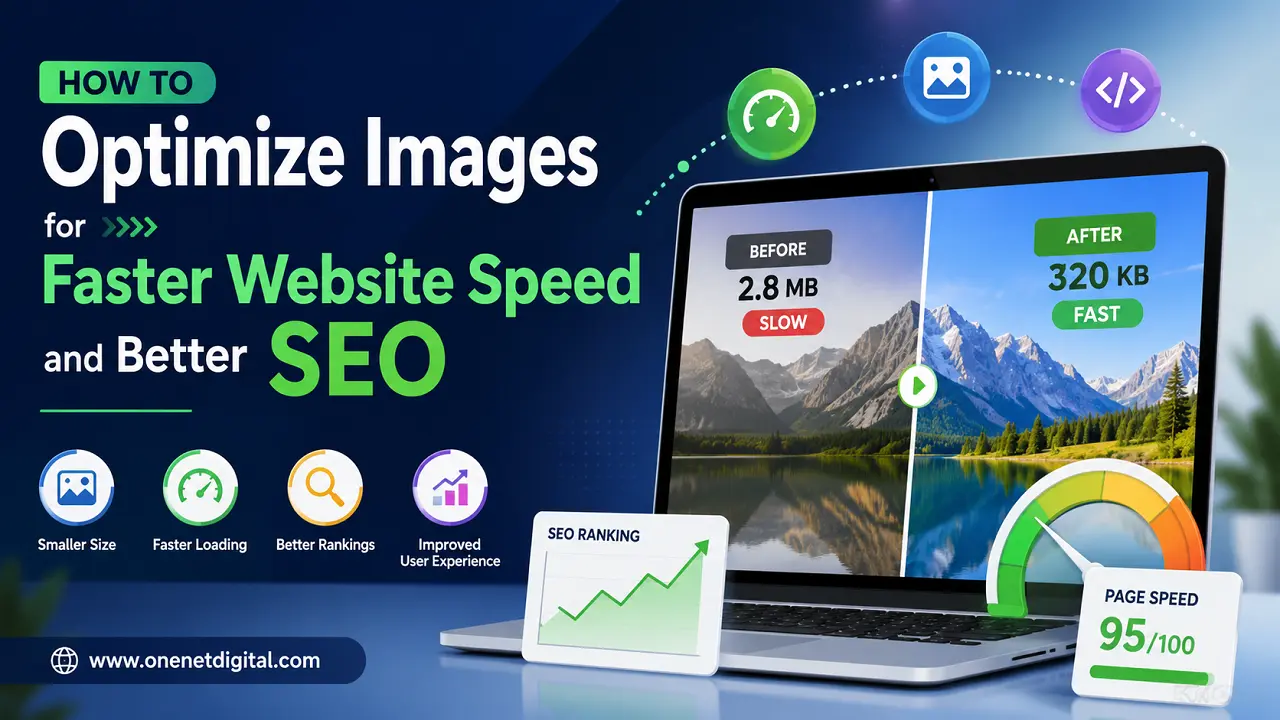
Images play a major role in website design and user experience. They help make content more attractive, improve engagement, and support branding. However, large and unoptimized images can slow down a website significantly. Slow-loading websites not only frustrate users but also affect search engine rankings.
Website speed has become an important ranking factor in modern SEO. Search engines prefer websites that load quickly and provide a smooth browsing experience. Optimizing images is one of the simplest and most effective ways to improve both website speed and SEO performance.
This article explains how image optimization works, why it matters, and the best practices businesses and website owners should follow.
Why Image Optimization Matters
Many websites use high-quality images without considering file size. While these images may look visually appealing, they often increase page load time. Large image files consume more bandwidth and require more time to load on browsers and mobile devices.
Poor image optimization can lead to several problems, including:
- Slow website loading speed
- Higher bounce rates
- Poor mobile experience
- Lower search engine rankings
- Increased server usage
- Reduced user engagement
When users visit a slow website, many leave before the page fully loads. This affects conversions, traffic retention, and overall SEO performance.
Optimized images help websites load faster while maintaining visual quality. This creates a better experience for visitors and improves the chances of ranking higher in search results.
Also Read: How to Reduce Bounce Rate and Keep Visitors on Your Website
Choose the Right Image Format
Selecting the correct image format is the first step in optimization. Different image formats serve different purposes, and using the wrong one can unnecessarily increase file size.
JPEG or JPG
JPEG is one of the most commonly used image formats for websites. It is ideal for photographs and complex images because it provides good quality with smaller file sizes.
Best for:
- Blog images
- Product photos
- Banners
- Website galleries
PNG
PNG files support transparent backgrounds and better image quality, but their file sizes are usually larger.
Best for:
- Logos
- Icons
- Transparent graphics
WebP
WebP is a modern image format that offers excellent compression while maintaining quality. It usually produces much smaller file sizes compared to JPEG and PNG.
Best for:
- Most website images
- Faster-loading web pages
- Modern websites focused on performance
Using modern formats like WebP can significantly improve website speed.
Resize Images Before Uploading
One common mistake is uploading large images directly from cameras or design software. These images may have dimensions much larger than necessary for websites.
For example, uploading a 5000-pixel-wide image for a blog section that only displays at 1200 pixels wastes bandwidth and slows down the page.
Before uploading:
- Resize images according to website layout needs
- Avoid unnecessarily high resolutions
- Use responsive image dimensions for different devices
Properly resized images reduce file size and improve loading speed without affecting appearance.
Also Read: Why SEO Takes Time but Gives Long-Term Results
Compress Images Without Losing Quality
Image compression helps reduce file size while maintaining acceptable visual quality. This is one of the most important image optimization techniques.
There are two main types of compression:
Lossy Compression
Lossy compression removes some image data to achieve smaller file sizes. In most cases, the quality difference is barely noticeable to users.
Lossless Compression
Lossless compression reduces file size without removing image data. It preserves original quality but may not reduce size as much as lossy methods.
Many online tools and plugins can compress images automatically before or during upload. Regular compression can save significant loading time across an entire website.
Use Lazy Loading
Lazy loading is a technique where images load only when users scroll to them. Instead of loading every image immediately, the browser loads images gradually as needed.
This improves:
- Initial page loading speed
- Mobile browsing experience
- Core Web Vitals performance
- Overall user experience
Lazy loading is especially useful for:
- Long blog posts
- Image galleries
- E-commerce websites
- Portfolio websites
Modern browsers and website platforms now support lazy loading easily.
Add Alt Text
Alt text, also called alternative text, describes images for search engines and screen readers. It is important for both accessibility and SEO.
Search engines cannot fully understand images visually, so alt text helps explain the content of an image.
Good alt text should:
- Clearly describe the image
- Include relevant keywords naturally
- Remain short and meaningful
- Avoid keyword stuffing
Example:
Instead of writing:
“image123.jpg”
Use:
“Website speed optimization dashboard on laptop screen”
Proper alt text improves image SEO and helps websites appear in image search results.
Also Read: How to Create SEO Content That Actually Brings Customers
Optimize Image File Names
Many websites upload images with default file names like:
- IMG001.jpg
- Screenshot123.png
These file names provide no SEO value.
Before uploading, rename image files using descriptive keywords related to the content.
Examples:
- website-speed-optimization.jpg
- seo-image-compression-guide.webp
- mobile-page-speed-test.png
Clear file names help search engines understand image relevance more effectively.
Use Responsive Images
Visitors access websites using different devices and screen sizes. A desktop image may be unnecessarily large for mobile users.
Responsive images allow websites to serve different image sizes depending on the device.
Benefits include:
- Faster mobile loading
- Reduced bandwidth usage
- Better user experience
- Improved SEO performance
Modern website builders and CMS platforms often support responsive image settings automatically.
Enable Browser Caching
Browser caching stores website images temporarily on a user’s device. When visitors return to the site, images load much faster because they do not need to be downloaded again.
Caching helps:
- Improve repeat visit speed
- Reduce server requests
- Enhance overall performance
Proper caching settings can significantly improve website speed scores.
Use a Content Delivery Network (CDN)
A CDN stores website content, including images, on multiple servers located in different regions. When users access the website, images load from the server closest to their location.
Benefits of using a CDN:
- Faster global loading speed
- Reduced server load
- Better website stability
- Improved user experience
CDNs are especially useful for websites with international visitors or large amounts of media content.
Monitor Website Performance Regularly
Image optimization should not be treated as a one-time task. Websites continuously add new images, blog posts, products, and graphics.
Regular performance monitoring helps identify issues before they affect SEO and user experience.
Website owners should regularly check:
- Page loading speed
- Large image files
- Mobile performance
- Core Web Vitals
- Broken or missing images
Tools like page speed analyzers can help detect image-related performance issues quickly.
Final Thoughts
Image optimization is an essential part of website performance and SEO strategy. Even a visually attractive website can struggle to rank well if images slow down loading speed.
By choosing the right image formats, compressing files, resizing properly, using lazy loading, and adding descriptive alt text, websites can improve both user experience and search visibility.
Fast-loading websites not only perform better in search engines but also keep visitors engaged for longer periods. Small improvements in image optimization can create noticeable gains in traffic, conversions, and overall website performance over time.
FAQs
1. Why is image optimization important for SEO?
Image optimization helps reduce website loading time, which improves user experience and supports better search engine rankings. Faster websites are more likely to perform well in search results and keep visitors engaged.
2. What is the best image format for websites?
WebP is considered one of the best modern image formats because it offers high quality with smaller file sizes. JPEG is also commonly used for photos, while PNG works well for transparent images and logos.
3. How do large images affect website speed?
Large image files take more time to load and use more bandwidth. This can slow down web pages, increase bounce rates, and negatively affect SEO performance, especially on mobile devices.
4. What is image compression?
Image compression reduces the file size of images without significantly affecting visual quality. Compressed images load faster and improve overall website performance.
5. What is lazy loading in image optimization?
Lazy loading is a technique where images load only when users scroll to them on the page. This improves initial page speed and helps websites load faster for visitors.