
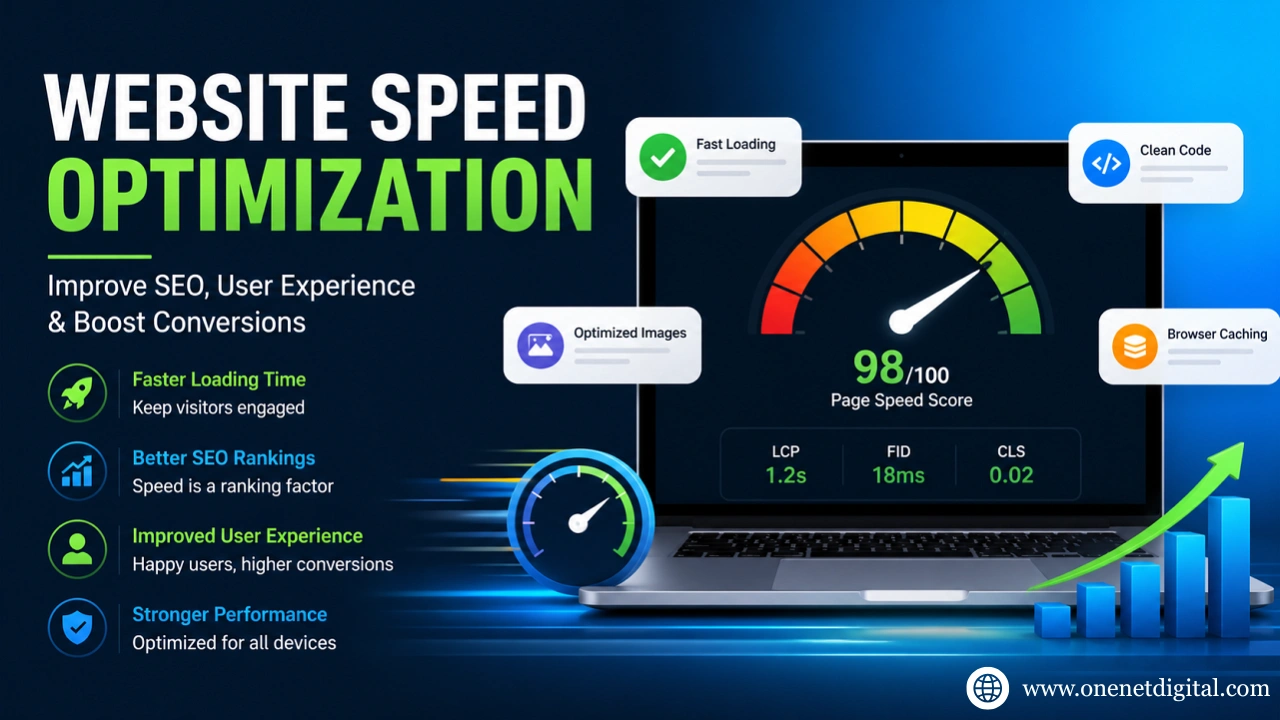
In the modern digital world, website speed is a crucial factor in SEO and user experience. If a site is slow to load, it can lead to lower user engagement, bounce rates and conversion rates. Whether you have a business website, eCommerce site, or service website, website speed is now a critical element of SEO.
SEO for website speed isn’t just about technical factors. It’s also a critical factor in user experience. Users want websites to load fast, particularly on mobile. Any delay, even a few seconds, can result in users abandoning the website without accessing the content or services.
In this article, we will discuss why website speed optimization is important, the reasons why websites are slow, and how to improve the speed and performance of your website for user experience and search engine optimization (SEO).
What is Website Speed Optimization?
Website speed optimization is the process of improving the loading speed and responsiveness of a website. This includes improving the performance of elements like images, code, hosting, caching, scripts, and server response time.
Quick websites allow users to view content without any interruptions. It also plays a role in search engine optimization (SEO), particularly since the roll-out of Core Web Vitals.
Companies that focus on website development and optimization tend to have higher search engine rankings and conversion rates.
Why Website Speed is Crucial for SEO
Visitors expect web pages to load quickly. Slow sites can result in users leaving the site. Quick-loading websites make it easier for visitors to navigate and keep them engaged.
1. Better User Experience
Visitors expect web pages to load quickly. Slow sites can result in users leaving the site. Quick-loading websites make it easier for visitors to navigate and keep them engaged.
2. Lower Bounce Rate
Slow loading websites tend to have higher bounce rates as users get bored waiting for them to load. Faster load times will help lower bounce rates and keep visitors engaged.
3. Improved Mobile Performance
A majority of web users access websites on mobile devices. With mobile-first indexing, mobile performance is even more critical to SEO.
4. Better Conversion Rates
With a quick website, you can get more leads, sales, and enquiries. Improved speed delivers a better user experience.
And if you’re running a business that is also looking to improve its online presence in search engines, it’s important to invest in the right SEO Digital Marketing strategies, including website optimization for long-term gains.
Why Websites Slow Down
Slow loading websites are often a result of poor optimization. Here are some reasons why websites are slow.
Heavy Image Files
Uncompressed images take up a lot of bandwidth and slow down websites.
Poor Quality Hosting
Cheap hosting servers may not be efficient in managing traffic, leading to poor performance.
Too Many Plugins
Too many plugins (particularly on WordPress sites) can slow down the site.
Unoptimized CSS and JavaScript
Unoptimized CSS and JavaScript files can slow down page load times.
Lack of Caching
Lack of caching results in web pages reload all resources every time a user loads a page, putting more load on the server and increasing the page loading time.
Excessive Redirects
Excessive redirects slow down page loads and hinder the user experience.
Best Website Speed Optimization Techniques
There are a number of techniques to increase website speed.
1. Compress and Optimize Images
Images need to be compressed without losing quality. New file formats, such as WebP, can reduce the image size without compromising image quality. Images are an easy way to boost page speed.
Best Practices:
- Use compressed image formats
- Avoid oversized images
- Enable lazy loading
- Resize images before uploading
2. Use a Content Delivery Network (CDN)
CDNs store website content on servers around the world. This allows users to access information from a server close to them, speeding up the process. CDNs are particularly beneficial for international websites.
3. Enable Browser Caching
Caching involves storing website assets on the user’s computer so they load quicker on subsequent visits. This can reduce the load on the server and enhance the experience for returning visitors.
4. Minify CSS, JavaScript, and HTML
Minify eliminates white space and comments from website files, reducing their size. This helps pages load quicker and render faster.
5. Improve Hosting Quality
Hosting significantly impacts on speed. Websites on shared hosting can slow down when receiving a lot of traffic.
Companies anticipating more traffic should opt for:
- VPS hosting
- Cloud hosting
- Dedicated servers
Good hosting leads to improved speed and reliability.
6. Optimize WordPress Websites
WordPress sites need to be optimized as loading times are affected by themes and plugins.
Useful WordPress Optimization Tips:
- Use lightweight themes
- Remove unused plugins
- Optimize databases regularly
- Use caching plugins
- Update WordPress frequently
Companies that use WordPress for custom websites often use optimization in conjunction with WordPress Web Development services for long-term improvement.
7. Reduce HTTP Requests
Each image, stylesheet and script is an HTTP request. Excessive requests can make pages load more slowly. The fewer elements on a website, the faster it will load.
8. Optimize for Mobile Devices
Mobile-friendliness is now a must as most people use mobile devices to browse the web.
Mobile Speed Improvements:
- Responsive design
- Faster mobile layouts
- Compressed images
- Minimal popups
- Optimized fonts
Companies emphasizing responsive designs can benefit from Website Development Services.
Understanding Core Web Vitals
Google’s Core Web Vitals are metrics that quantify user experience.
Largest Contentful Paint (LCP): Measures loading performance.
First Input Delay (FID): Measures responsiveness to user interactions.
Cumulative Layout Shift (CLS): Measures visual stability during page loading. This can have a positive impact on search engine ranking and user experience.
Tools to Test Website Speed: Various tools can be used to evaluate the performance and detect problems.
Google PageSpeed Insights: Generates performance analysis and recommendations.
GTmetrix: Reports performance and issues while loading a page.
Final Thoughts
The speed of a website is a vital component of today’s search engine optimization and user experience. It can impact on search engine rankings, user traffic, user engagement and conversions. Faster loading times, image optimization, code minimization, and better hosting are some ways that businesses can make their website faster and more accessible.
Optimizing websites is an ongoing process. Ongoing monitoring and technical enhancements ensure continued performance and ranking. Companies that prioritise speed, responsiveness and user experience are likely to see long-term growth in 2026 and beyond.
FAQs
How fast should a website load?
The ideal website loading time for user experience and search engine optimization is 2-3 seconds.
Is website speed a ranking factor for Google?
Yes, the speed and Core Web Vitals of a webpage are ranking factors.
What is the best website speed checker tool?
The most popular ones are Google PageSpeed Insights and GTmetrix.
Do images make a website slow?
Yes, heavy and non-compressed images are one of the main causes of slow websites.
Is mobile speed important for SEO?
Yes, mobile speed is crucial since Google has mobile-first indexing.
How often should you test website performance?
It is best to check your website performance at least once a month.