
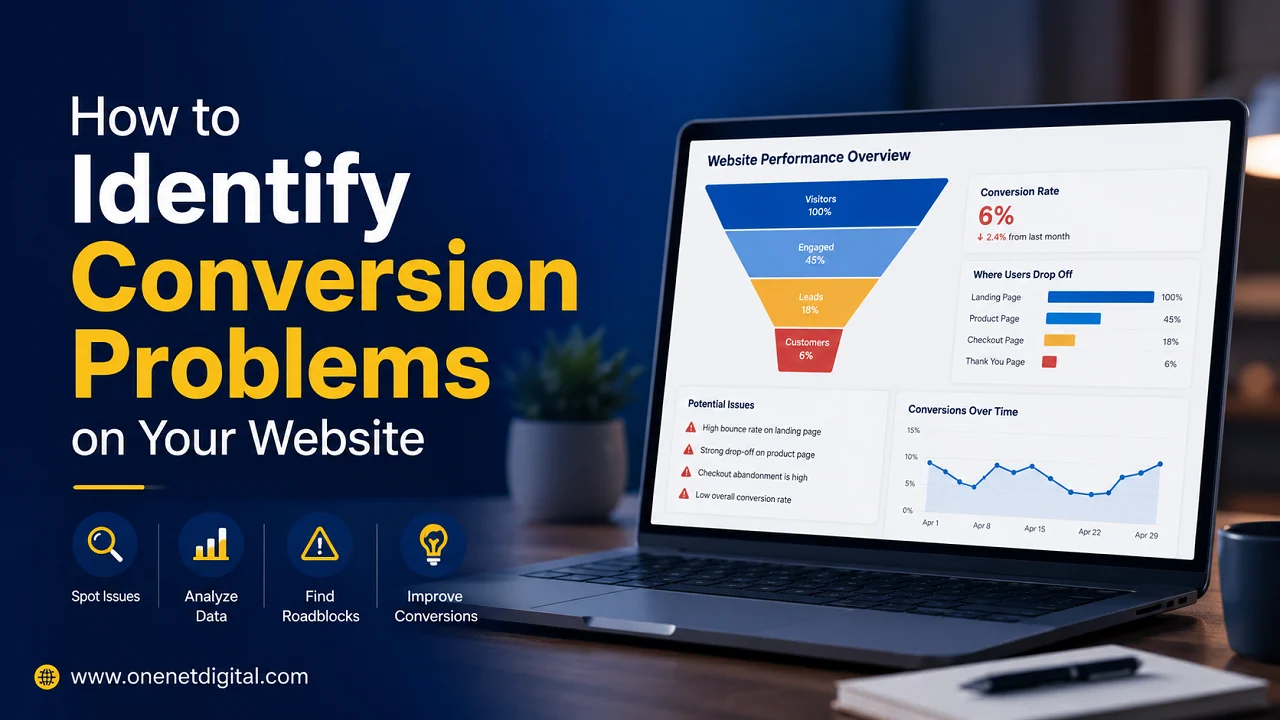
- Introduction
- Set Your Conversion Goals First
- Look Beyond the Traffic Numbers
- Find Pages with High Traffic but Low Engagement
- Review Your Call to Action
- Discover Where Your Website Visitors Leave
- Review the Customer Journey Step by Step
- Check for Trust Gaps
- Assess Mobile User Experience
- Use Heatmaps & User Behaviour Tools
- Identify Information Gaps
- Monitor Form Abandonment
- Minimize User Friction
- Final Thoughts
- FAQs
Introduction
Lots of companies spend a lot of time and money to generate traffic to their websites. They focus on SEO, content marketing, social media campaigns and paid advertising to bring visitors. But they can get consistent traffic but often can’t convert that traffic into enquiries, leads or sales.
When this happens, the problem is not always traffic. “In many cases, the real problem is conversions on the website. Visitors might be simply visiting the website, looking at a few pages and then leaving without doing anything meaningful.
Conversion problems are not always obvious and can be difficult to find. A website can look professional, load properly and get traffic, but still not convert visitors into customers. The trick is to learn to see the hidden problems that stop visitors from moving forward.
By understanding where and why users drop out of the customer journey, businesses can improve performance without necessarily increasing traffic.
Set Your Conversion Goals First
Before you start looking for conversion problems, it’s important to understand what a conversion really means for your business.
For some sites, a conversion could be a contact form submission. For some it could be a phone call, booking a consultation, newsletter signup, product purchase or quote request.
Without clear goals it is difficult to see where users are falling off.
There are some actions that each website should take and should encourage visitors to take. With those goals clearly defined, businesses can start to look at the journey that users take to get there.
Knowing what success looks like can make it easier to see a conversion problem.
Look Beyond the Traffic Numbers
Many website owners are obsessed with traffic stats. Traffic is important, but it doesn’t always tell the full story.
A website can have thousands of visitors per month but generate very few leads. In these cases, it’s not traffic that is the problem. The trouble is, what happens when they arrive?
Businesses should ask not how many people visit the website, but:
- How many visitors contact us?
- How many request information?
- How many become customers?
- Which pages contribute to conversions?
These questions give a much better picture of website performance. Traffic is an opportunity, but conversions are business results.
Find Pages with High Traffic but Low Engagement
One of the simplest ways to see if you have conversion problems is to look at popular pages that aren’t driving action.
Some pages get a lot of traffic but very few enquiries or clicks. This is often an indicator that the visitors’ expectations are not met by the content.
Users may land on a service page looking for clear information on pricing, benefits or next steps. Visitors can leave if the page is only about general information and will not engage further.
Pages that draw visitors but don’t lead to action are often packed with insights about conversion barriers.
Businesses can use these pages to find messaging, trust or user experience gaps.
Also Read: How to Identify Why People Leave Your Website
Review Your Call to Action
Visitors don’t know what to do next on a website, so they don’t convert.
The role of calls-to-action in the customer journey but a lot of businesses either hide them, make them confusing, or don’t place them strategically on the website.
Visitors should never have to guess how to get to a business or how to get to the next step.
Your call-to-action may not be strong enough or visible enough to get clicks on buttons or inquiry links, even if you are getting traffic to important pages.
Sometimes just a little bit of clarity can go a long way towards engagement.
Discover Where Your Website Visitors Leave
Exit pages often give some of the best clues about conversion problems.
If visitors are consistently exiting the site from a particular page, this could be a sign that the page is not successfully answering important questions or encouraging users to continue.
For example, visitors who are leaving from a service page may not see the value that is being offered. If visitors are dropping off on a contact page, this could be an indication of friction in the inquiry process.
Businesses should look into why users are leaving at specific points of the customer journey, instead of seeing exits as random behaviour.
Pages with the highest exit rates are often the ones that need the most attention.
Review the Customer Journey Step by Step
Viewing the website from the perspective of a visitor can make many conversion issues obvious.
Go to the website for the first time and pretend you don’t know anything about your business. Look for information on services, benefits, contact information and an inquiry.
As you do this, ask yourself:
- Is the website easy to understand?
- Are important pages easy to find?
- Does the journey feel smooth?
- Are there unnecessary steps?
- Would I feel confident contacting this business?
Any place where people get confused or hesitate could be a conversion problem. Small barriers can have surprisingly big impacts on how users behave.
Check for Trust Gaps
If they don’t trust the business, visitors don’t convert easily.
Too many websites spend a lot of time telling you about their services but don’t give you much to prove that the company is trustworthy. Users look for signals that reassure them before they act.
To build trust, you need common elements like customer reviews, testimonials, case studies, business credentials, easy-to-find contact information, and a professional-looking website.
If visitors are landing on important pages but not converting, trust could be what’s missing.
Most people need to feel confident before they disclose personal information or make purchasing decisions.
Also Read: Why Businesses Lose Leads Without Realizing It
Assess Mobile User Experience
The mobile visitor is now a large percentage of traffic to websites. Unfortunately, many sites still create friction for smartphone users.
What feels like an easy-to-use page on a desktop PC can be difficult to navigate on a smaller screen. Long forms, tiny buttons, slow loading speeds, and bad layouts can lower conversions.
Businesses should regularly test their key pages on a mobile device, looking for anything that makes things harder than they need to be.
When we improve mobile usability, conversion rates tend to improve immediately as users can complete actions more comfortably.
Use Heatmaps & User Behaviour Tools
Analytics can show you where visitors go, but behaviour tools tend to show you why they behave that way.
Heatmaps, click tracking and session recordings can help to understand user behaviour on a page. They can highlight where visitors get confused, pause scrolling, or overlook critical content.
For example, you may find users never reach a call-to-action because it’s too far down the page. You may also see visitors clicking repeatedly on things that are not clickable at all.
These observations frequently reveal conversion issues that traditional analytics reports cannot explain.
Understanding user behaviour is one of the best ways to boost website performance.
Identify Information Gaps
Most people leave websites because they cannot find answers to important questions.
Users are usually looking for information about pricing, services, timelines, experience, or processes before they get in touch with a business. If they are not present, visitors may go on to search elsewhere.
A website should answer common questions that customers may have; and do it clearly.
Users who can find the information they need quickly are more likely to continue on their journey and eventually convert.
Too often these information gaps are overlooked because a business knows its services so well it forgets what a customer has yet to learn.
Monitor Form Abandonment
The contact forms can be seen to have conversion problems.
If visitors reach the form page but don’t complete the submission, there may be something causing a hesitation. Reasons for abandonment include long forms, confusing questions, privacy concerns or technical issues.
It is focused on building visits to the form and rarely looks at why the user did not complete the form.
Looking at form performance may help you figure out what’s holding your potential leads back from taking the last step.
Small improvements can have a big impact on inquiry rates.
Also Read: Why Visitors Need Answers Before They Need Features
Minimize User Friction
One of the most common causes for low conversions is friction.
Friction is anything that slows, complicates or interrupts the user journey. Think frustrating navigation, too many popups, slow load times, ambiguous messaging and complicated forms.
People tend to flock to websites that make their work easy and straightforward.
The more effort a task takes to do, the more likely users are to give up on it.
One of the fastest ways to increase website conversions without a full redesign is to reduce friction.
Final Thoughts
Looking beyond just the numbers of traffic, you need to find conversion problems on your site. Businesses need to know how visitors are engaging with pages, where they’re dropping off, what questions aren’t being answered, what barriers are preventing action.
Conversion problems are usually caused by unclear calls-to-action, lack of trust, bad mobile experiences, lack of information, user friction, or confusing customer journeys. Spotting these weaknesses lets a business improve results without necessarily increasing traffic.
User needs and customer behaviour are the basis of the design of successful websites of 2026. They simplify finding information, build trust fast and create clear routes to action.
By actively managing visitor activity and removing conversion barriers, businesses can convert more website traffic into valuable leads and long-term customers.
FAQs
1. What is the problem with website conversion?
Visitors arrive on a website, but they don’t complete the desired actions, such as contacting a business or purchasing a product.
2. How do I find pages with conversion issues?
Identify weak spots by analyzing high-traffic pages, exit rates, engagement metrics, and user behaviour.
3. Are trust signals affecting website conversions?
Yes, testimonials, reviews, credentials and clear contact details can boost user trust and conversions.
4. Why is mobile optimization crucial for conversions?
Bad mobile experiences create friction and prevent users from completing actions.
5. Can conversion rates improve without increasing traffic?
Yes, you can often generate more leads from existing traffic by fixing usability issues and removing conversion barriers.