
Introduction
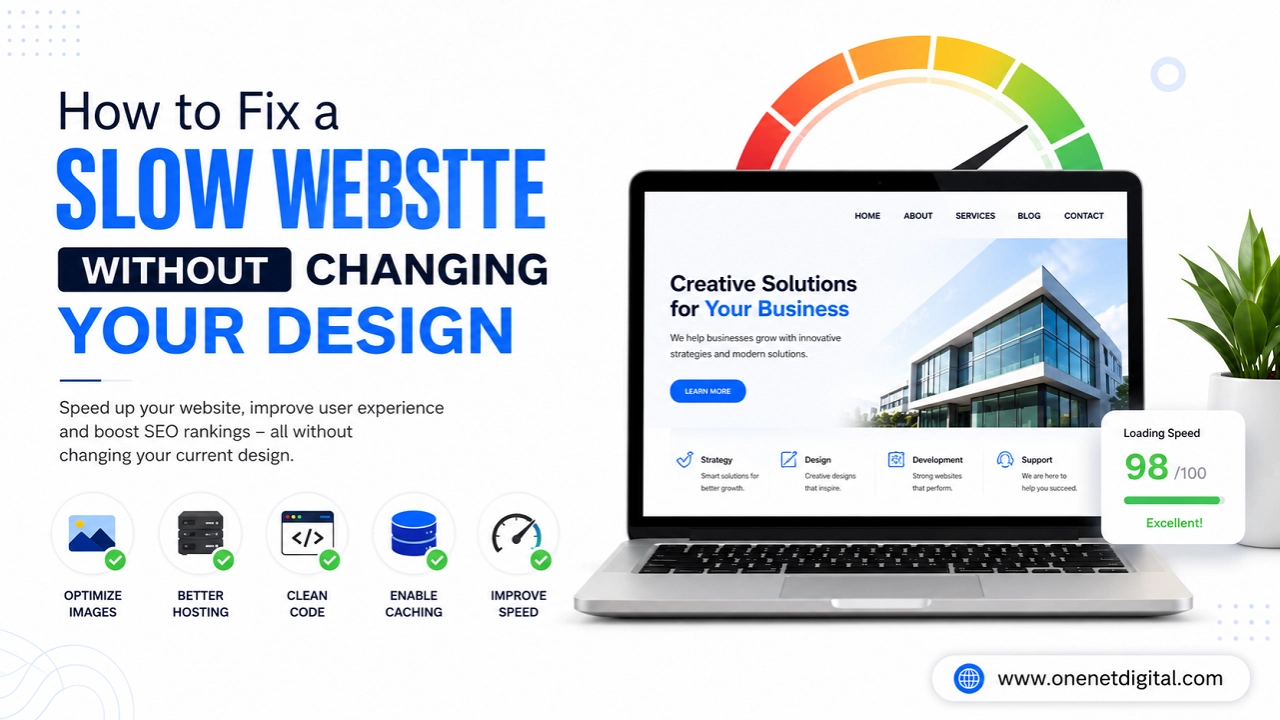
A slow website is one of the biggest reasons why businesses lose visitors and customers online. In 2026, people expect websites to load quickly on both desktop and mobile devices. If a website takes too long, most users leave before even exploring the content.
Many business owners think they need a complete redesign to improve website speed, but that is not always true. In many cases, websites can become much faster with simple technical improvements while keeping the same design and layout.
A faster website improves:
- User experience
- SEO rankings
- Customer engagement
- Conversion rates
Search engines like Google also prefer websites that load quickly because speed affects overall user satisfaction.
In this article, we will understand how businesses can fix a slow website without changing the existing design.
Large Images Often Slow Down Websites
One of the most common reasons behind slow websites is oversized images.
Many businesses upload high-quality images directly without optimizing them first. While these images may look good, they increase page size and slow down loading speed.
Compressing images can improve website speed significantly without affecting design quality.
Businesses should:
- Use compressed image formats
- Resize unnecessary large images
- Avoid uploading huge files directly
Optimized images help websites load faster while maintaining the same visual appearance.
Poor Hosting Can Affect Website Performance
Website hosting plays a major role in speed and performance. Sometimes websites remain slow not because of design issues but because of low-quality hosting services.
Cheap or overloaded servers often create:
- Slow loading times
- Website downtime
- Poor performance during high traffic
Upgrading to better hosting can improve speed instantly without changing website design. Reliable hosting is one of the best long-term investments for website performance.
Also Read: How to Make Your Website Look More Professional and Trustworthy
Too Many Plugins Create Problems
Many websites, especially on WordPress, use too many plugins. While plugins add features, unnecessary plugins increase website load time and create performance issues. Some plugins continue running in the background even when they are not actively needed.
Businesses should regularly:
- Remove unused plugins
- Update active plugins
- Avoid installing low-quality tools
Reducing plugin overload helps websites run more smoothly and efficiently.
Enable Website Caching
Caching helps websites load faster for returning visitors. Without caching, the browser reloads the entire website every time someone visits a page. This increases loading time.
Caching stores temporary versions of website pages, which improves speed and reduces server load. The best part is that caching improves performance without changing website design or layout. Many caching tools can be added easily to improve website speed.
Optimize Website Code
Over time, website code can become messy and heavy. Extra CSS, JavaScript, and unused code slow down loading speed.
Code optimization helps reduce unnecessary files and improve performance.
Businesses can:
- Minify CSS and JavaScript
- Remove unused code
- Reduce unnecessary animations
These improvements make websites lighter and faster while keeping the same design structure.
Also Read: Why Your Website Gets Traffic but No Customers (And How to Fix It)
Reduce Heavy Animations and Effects
Modern websites often use too many animations and visual effects. While animations may look attractive, excessive effects can slow down performance, especially on mobile devices.
Businesses do not need to remove all design elements completely. Small adjustments can improve speed without changing the overall appearance.
Simple and clean websites usually perform much better than overly animated designs.
Mobile Optimization Is Very Important
Most users now browse websites using smartphones. A website may work fine on desktop but still load slowly on mobile devices.
Mobile optimization is necessary because:
- Mobile internet speeds vary
- Smaller devices need lighter pages
- Mobile users expect fast loading
Businesses should test their website speed on mobile regularly.
Improving mobile performance helps reduce bounce rates and improve customer experience.
Use a Content Delivery Network (CDN)
A CDN helps websites load faster for visitors from different locations. Without a CDN, website files load from one main server, which can slow down performance for users far away from that server.
A CDN stores website content on multiple servers worldwide and delivers files from the nearest location. This improves loading speed without changing the website’s design. CDNs are especially useful for websites with global visitors.
Reduce Unnecessary Homepage Elements
Some websites include too many sliders, videos, banners, and popups on the homepage. While these features may look visually attractive, they often slow down loading speed heavily.
Businesses should focus on keeping the homepage clean and user-friendly. Removing only unnecessary heavy elements can improve performance significantly without affecting overall branding or layout.
Regular Website Maintenance Matters
Many businesses ignore website maintenance after launch. Outdated themes, plugins, and software versions often create performance issues over time. Regular maintenance helps websites stay fast, secure, and optimized.
Businesses should regularly:
- Update website software
- Check broken links
- Optimize databases
- Monitor loading speed
Small maintenance improvements help websites perform better long term.
Also Read: Why AI Tools are Supporting Small Businesses to Save Time and Grow Faster
Website Speed Affects SEO and Conversions
Website speed is not only about user experience. It also affects SEO and conversions directly.
Slow websites often experience:
- Higher bounce rates
- Lower rankings
- Reduced engagement
- Fewer leads and sales
Fast websites create smoother experiences and encourage visitors to stay longer. Even small speed improvements can increase customer trust and conversion rates.
User Experience Is More Important Than Fancy Features
Many businesses focus too much on visual effects instead of performance. A simple, fast, and easy-to-use website usually performs much better than a visually overloaded website.
Users care more about:
- Fast loading
- Easy navigation
- Smooth browsing
- Clear content
Businesses should focus on balancing design and performance properly.
Conclusion
A slow website can negatively affect SEO, user experience, and conversions. The good news is that businesses do not always need a complete redesign to improve speed.
Simple optimizations like image compression, better hosting, plugin cleanup, caching, and mobile optimization can make a huge difference.
In 2026, fast websites create stronger first impressions and help businesses stay competitive online.
Businesses that focus on website performance alongside design will improve customer engagement, search rankings, and long-term growth.
FAQs
1. Why is my website loading slowly?
Slow websites are often caused by large images, poor hosting, too many plugins, or unoptimized code.
2. Can I improve website speed without redesigning it?
Yes, many speed issues can be fixed through optimization without changing the website design.
3. Does website speed affect SEO?
Yes, faster websites usually perform better in search rankings and improve user experience.
4. Why is mobile optimization important for speed?
Most users browse on smartphones, so mobile performance directly affects engagement and conversions.
5. What is website caching?
Caching stores temporary website files to help pages load faster for visitors.